
Drilldown With Multiple Attributes
Return several columns from one drilldown, and filter a drilldown on more than one column.
1. Drilling Down to Show Multiple Columns
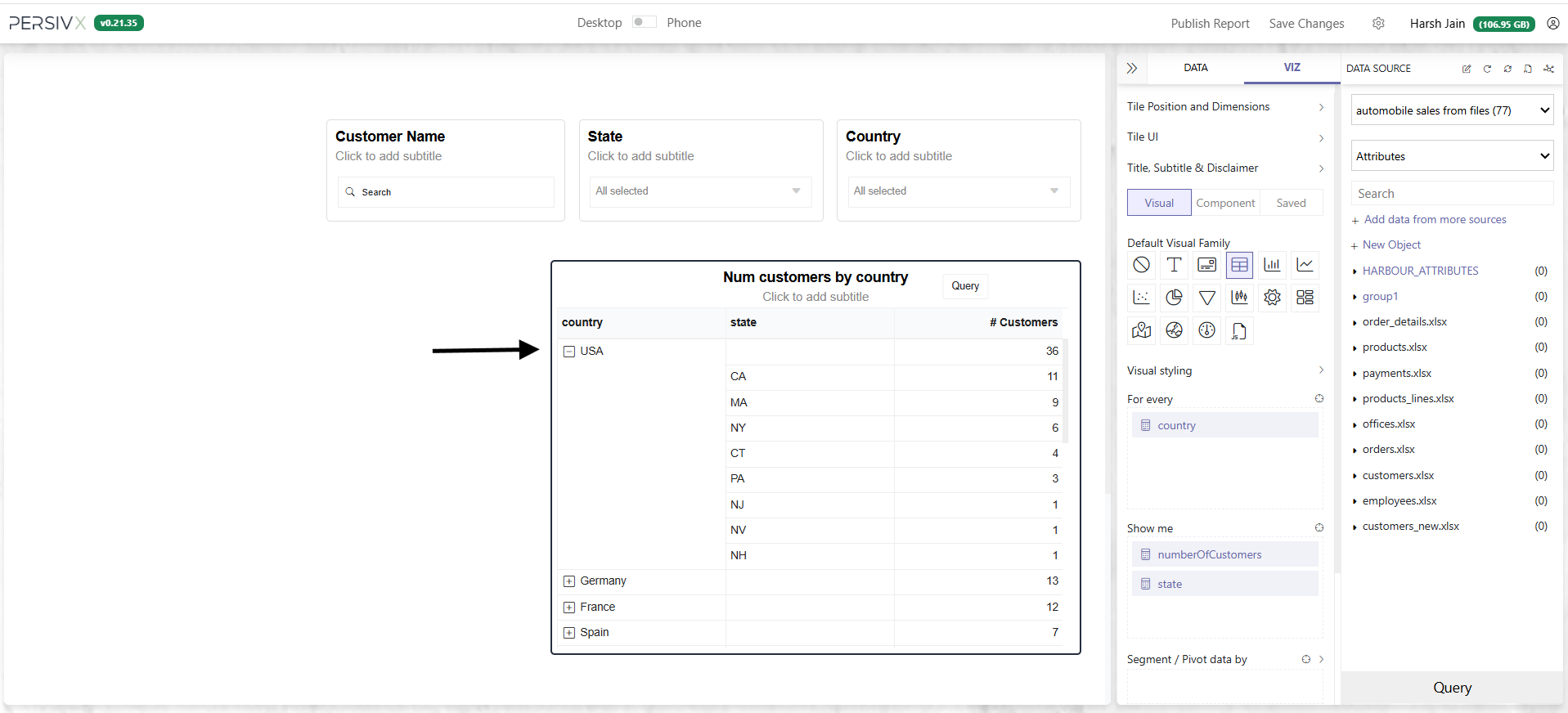
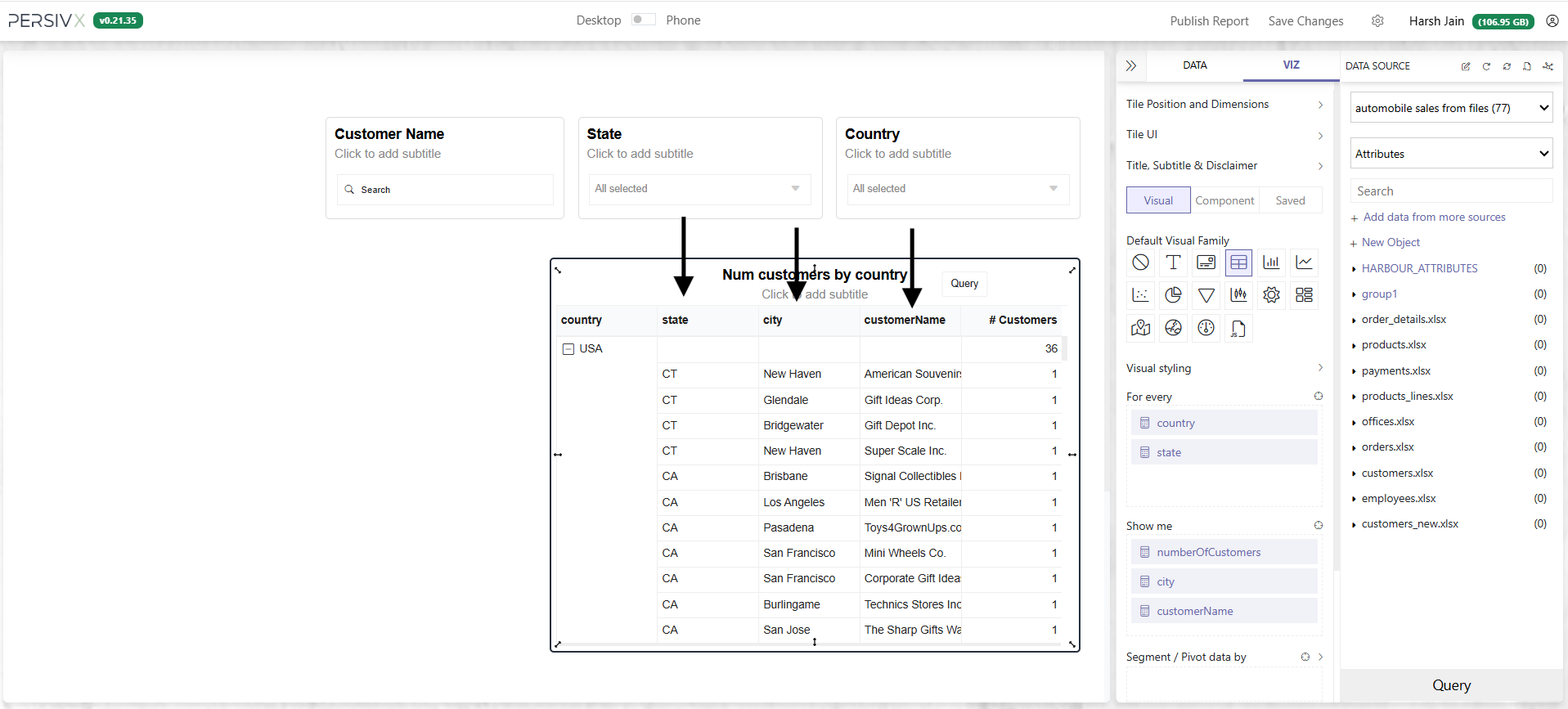
Often the detail a reader wants spans several columns. Building on the previous example, say that instead of just state we also want city and customerName — all three at once.
Before
After
Step 1: Fetch More Columns in the Drilldown Query
Before
SELECT country, state, COUNT(customerNumber) as numberOfCustomers
FROM [customers.xlsx]
WHERE country=:_harbour_drill_:country:undefined:
GROUP BY country, state
ORDER BY COUNT(customerNumber) DESC
After
SELECT country, state, city, customerName,
       COUNT(customerNumber) as numberOfCustomers
FROM [customers.xlsx]
WHERE country=:_harbour_drill_:country:undefined:
GROUP BY country, state, city, customerName
ORDER BY COUNT(customerNumber) DESC
Update the query in drilldown mode and click Save.
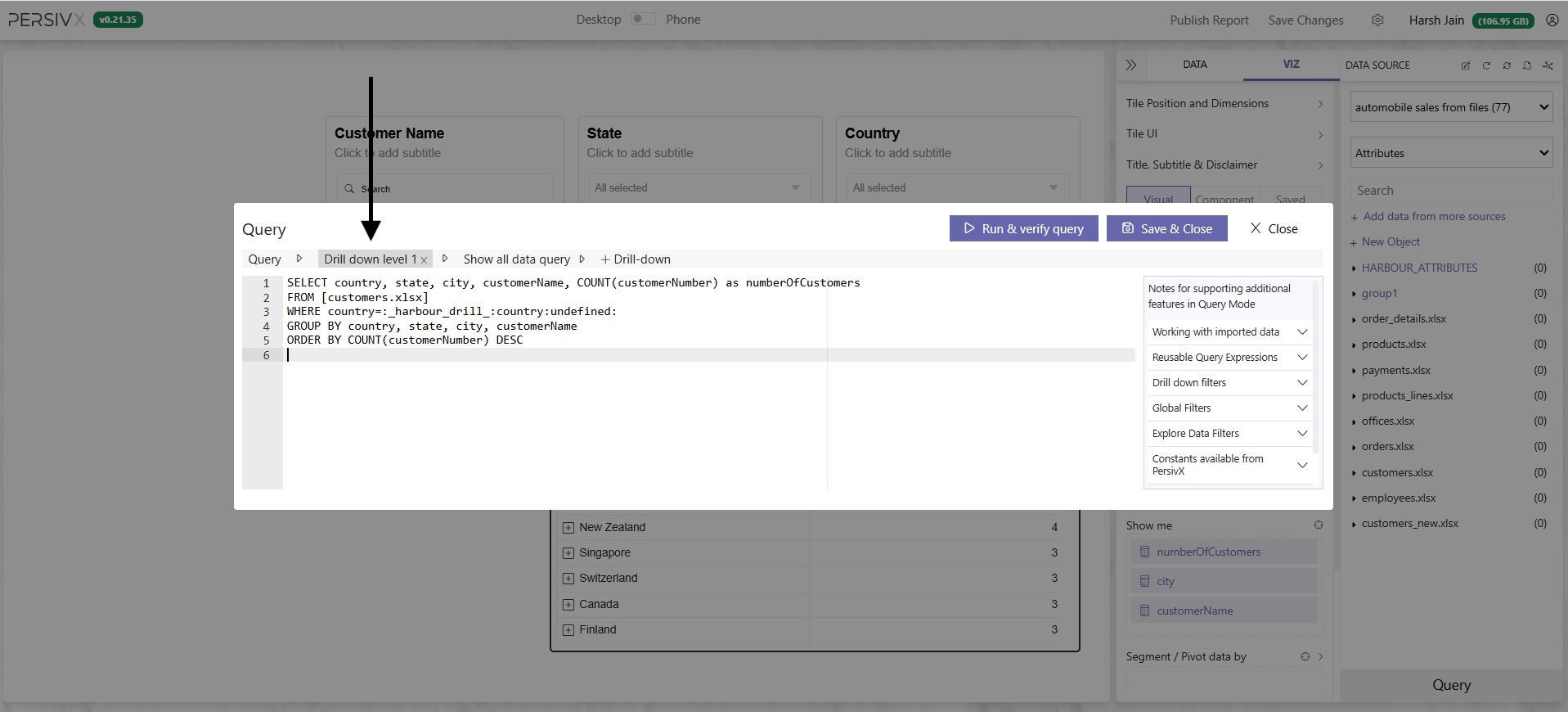
Now when a reader clicks a country, all three columns — state, city, and customerName — are fetched and displayed.
2. Filtering a Drilldown on Multiple Columns
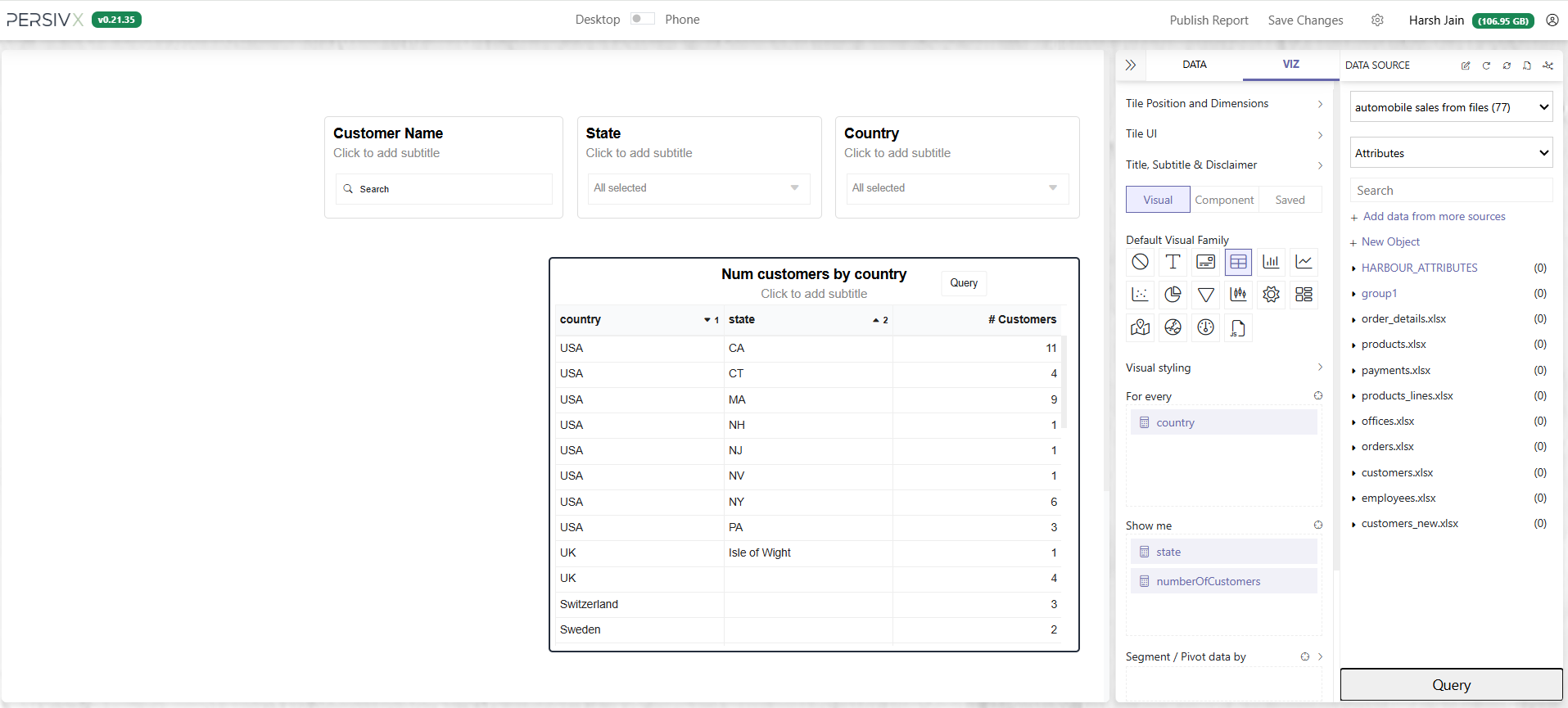
Say the table initially shows country, state, and the number of customers in each state. When a reader clicks a row, the drilldown should show detail by city.
Before
After
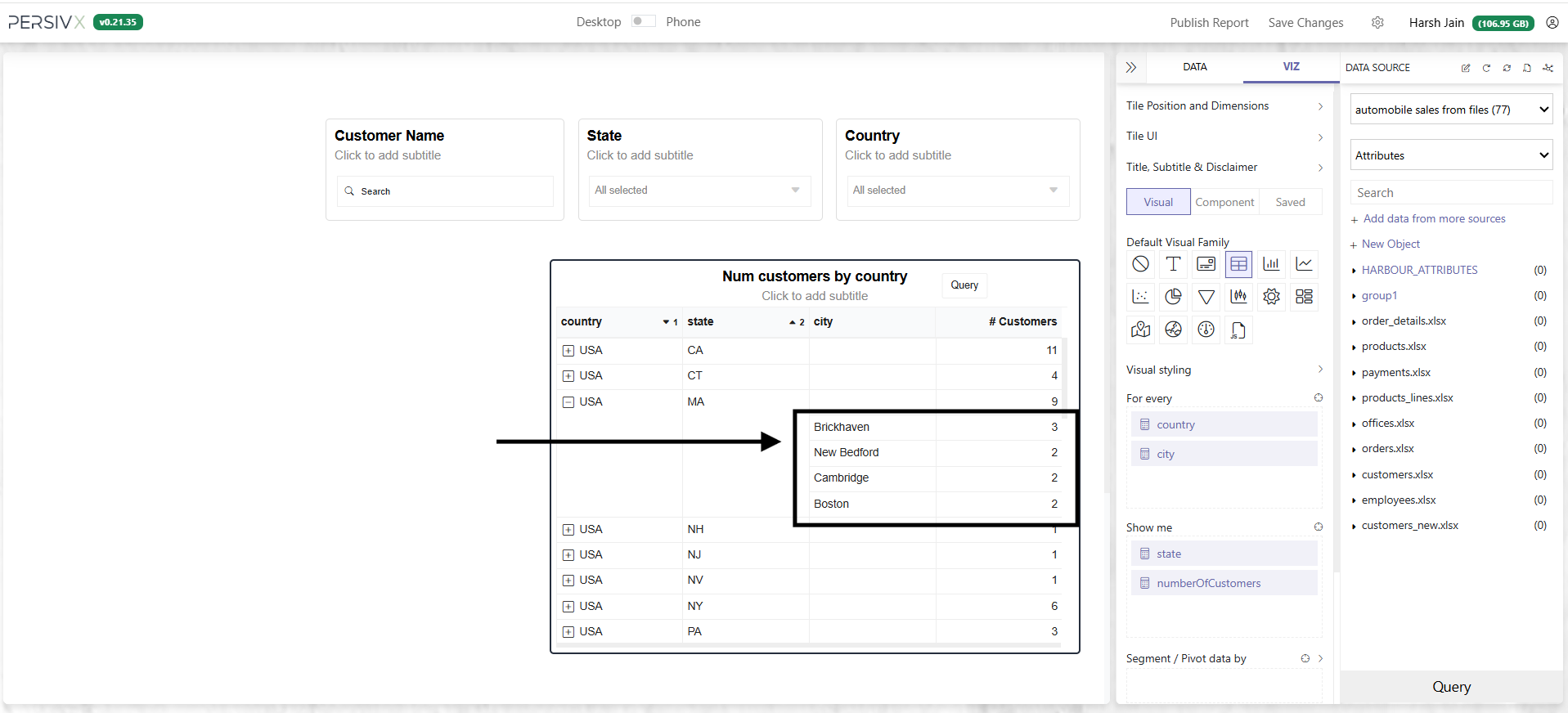
Filtering the drilldown on country alone won't work here. The filter has to apply to both country and state, so only the data relevant to the clicked row is fetched.
The chart itself is built with this query:
SELECT country, state, COUNT(customerNumber) as numberOfCustomers
FROM [customers.xlsx]
GROUP BY country, state
ORDER BY COUNT(customerNumber) DESC
So the drilldown query becomes:
SELECT country, state, city, COUNT(customerNumber) as numberOfCustomers
FROM [customers.xlsx]
WHERE country=:_harbour_drill_:country:undefined:
  AND state=:_harbour_drill_:state:undefined:
GROUP BY country, state, city
ORDER BY COUNT(customerNumber) DESC
AND. And the columns used in the hints appear in both the SELECT and GROUP BY clauses.
city attribute only shows up in the panel once you have drilled down at least once.