Connecting Directly to Your Database
Connect a SQL database to PersivX for live reports and dashboards.
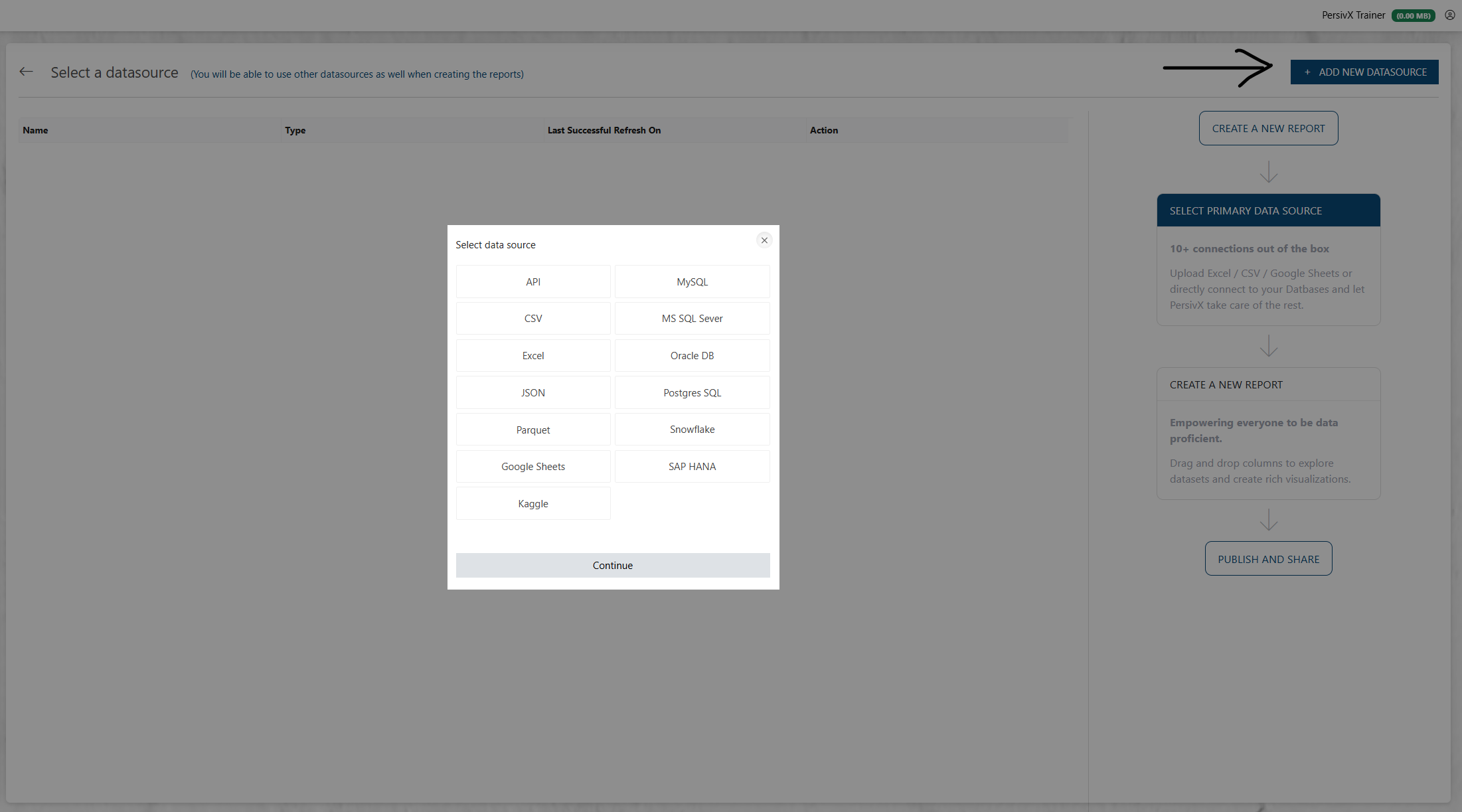
PersivX currently supports MySQL, MSSQL, Oracle DB, PostgreSQL, Snowflake, and SAP HANA, with more databases planned.
Before You Connect
You will need:
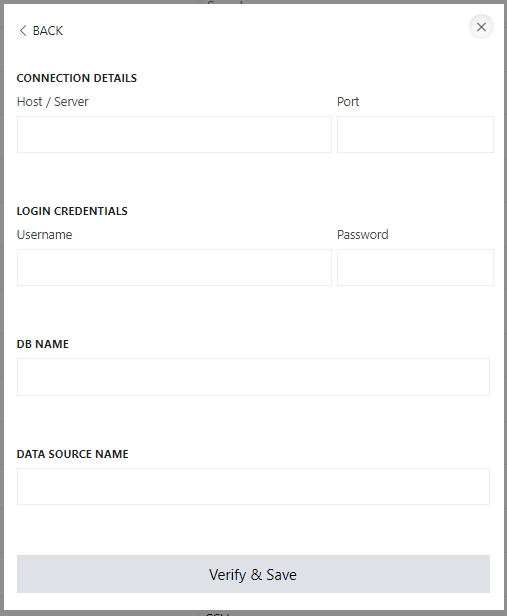
- The host name and IP address of the server hosting the database
- The database name
- A username and password for authentication
When adding a new database as a datasource, PersivX prompts you for each of these.
ℹ️ Read-Only Access
PersivX only requires read-only access to your database. It will never attempt to update or modify any data within it.
What Happens on Connection
If the connection is valid, PersivX automatically retrieves the table names, column names, column types, and foreign key relationships from the database. Depending on the size and complexity of the schema, this takes anywhere from a few seconds to a few minutes.
Steps to Connect
Step 1: Select the Database
Step 2: Add Connection Details