
Filter Components with Query-Based Visuals
Make filter components drive a visual whose data comes from a query you wrote.
There are three steps:
- Add the filter components
- Pass hints in the visual's query
- Update the visual's filter settings
Step 1: Add Filter Components
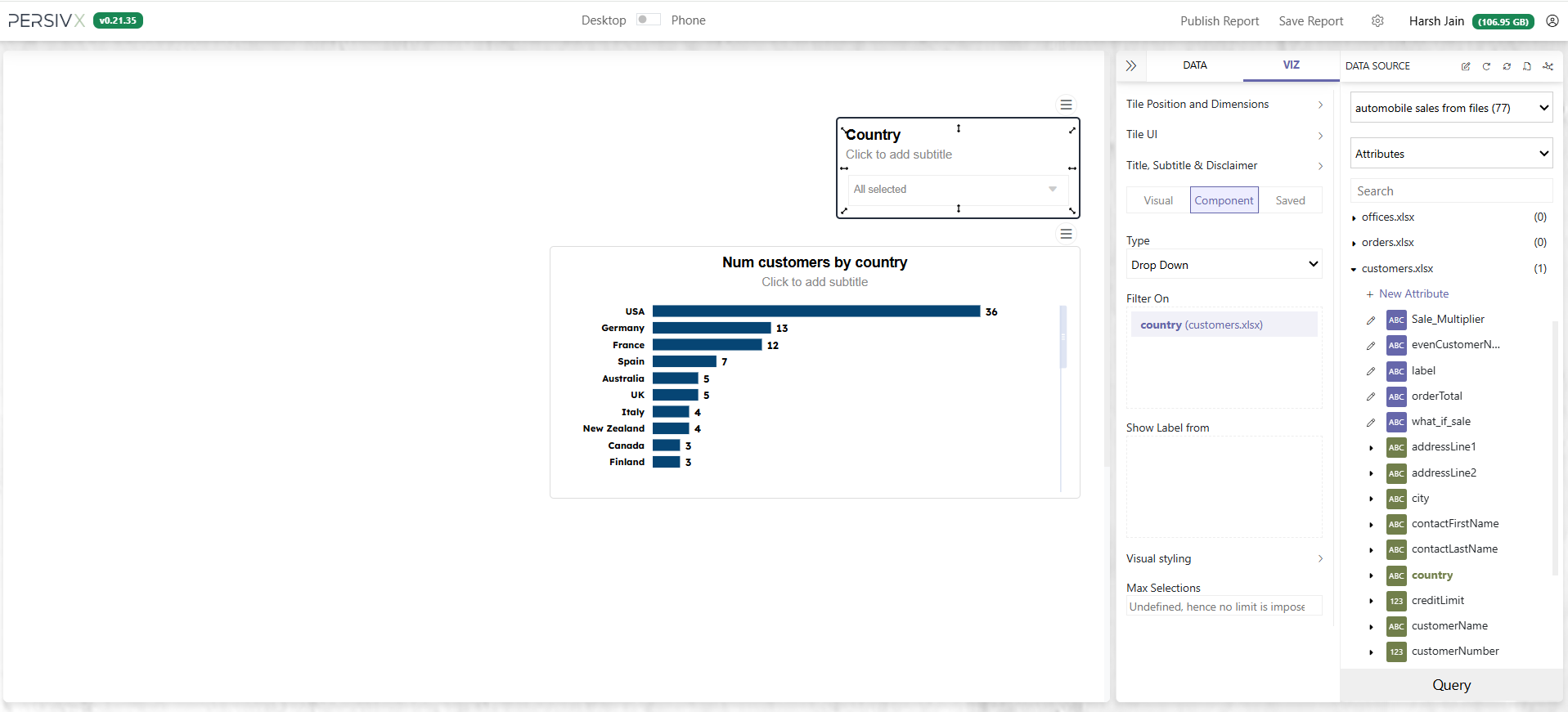
Add a filter component with drag and drop, exactly as in Adding Filters on a Report. Here we start by filtering the table on Country.
Step 2: Add Hints to the Query
The goal is to show only the relevant data. When a reader selects "USA" and "Australia", the visual should show only those two countries. For that, the WHERE clause has to change in real time:
Before
SELECT country, COUNT(customerNumber) as numberOfCustomers
FROM [customers.xlsx]

GROUP BY country
ORDER BY COUNT(customerNumber) DESC
After
SELECT country, COUNT(customerNumber) as numberOfCustomers
FROM [customers.xlsx]
WHERE country IN ("USA", "Australia")
GROUP BY country
ORDER BY COUNT(customerNumber) DESC
But a reader can select anything, and any number of values — so the WHERE clause has to update in real time. PersivX handles that for you. All you do is tell it where to put the condition:
Before
SELECT country, COUNT(customerNumber) as numberOfCustomers
FROM [customers.xlsx]

GROUP BY country
ORDER BY COUNT(customerNumber) DESC
After
SELECT country, COUNT(customerNumber) as numberOfCustomers
FROM [customers.xlsx]
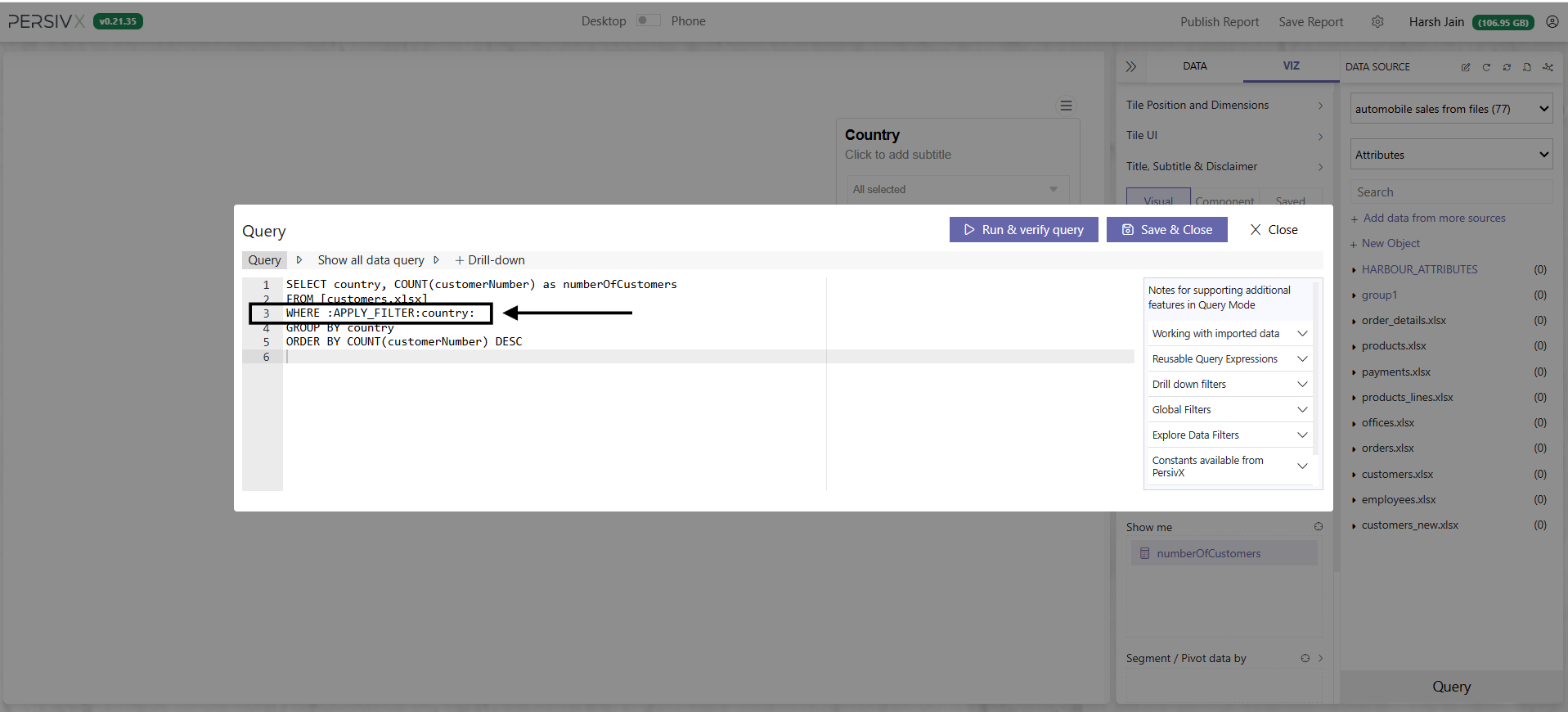
WHERE :APPLY_FILTER:country:
GROUP BY country
ORDER BY COUNT(customerNumber) DESC
The query now contains an :APPLY_FILTER:country: hint. It tells PersivX that whenever a filter applies to the country column, the WHERE clause should be built at that position — line 3 in this example.
PersivX will now keep the query updated in real time. Update the query on the bar visual, verify it, and click Save.
Step 3: Map Filters to Hints
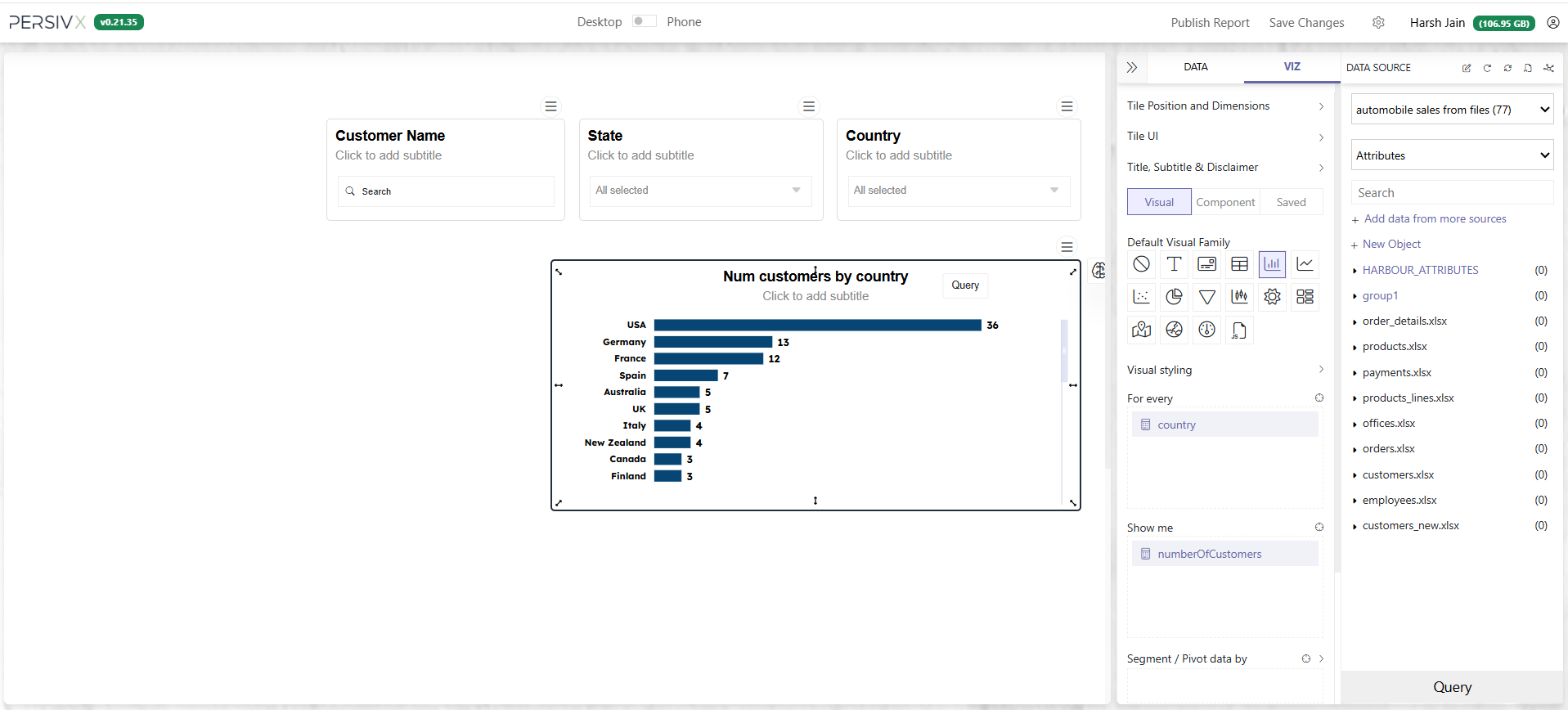
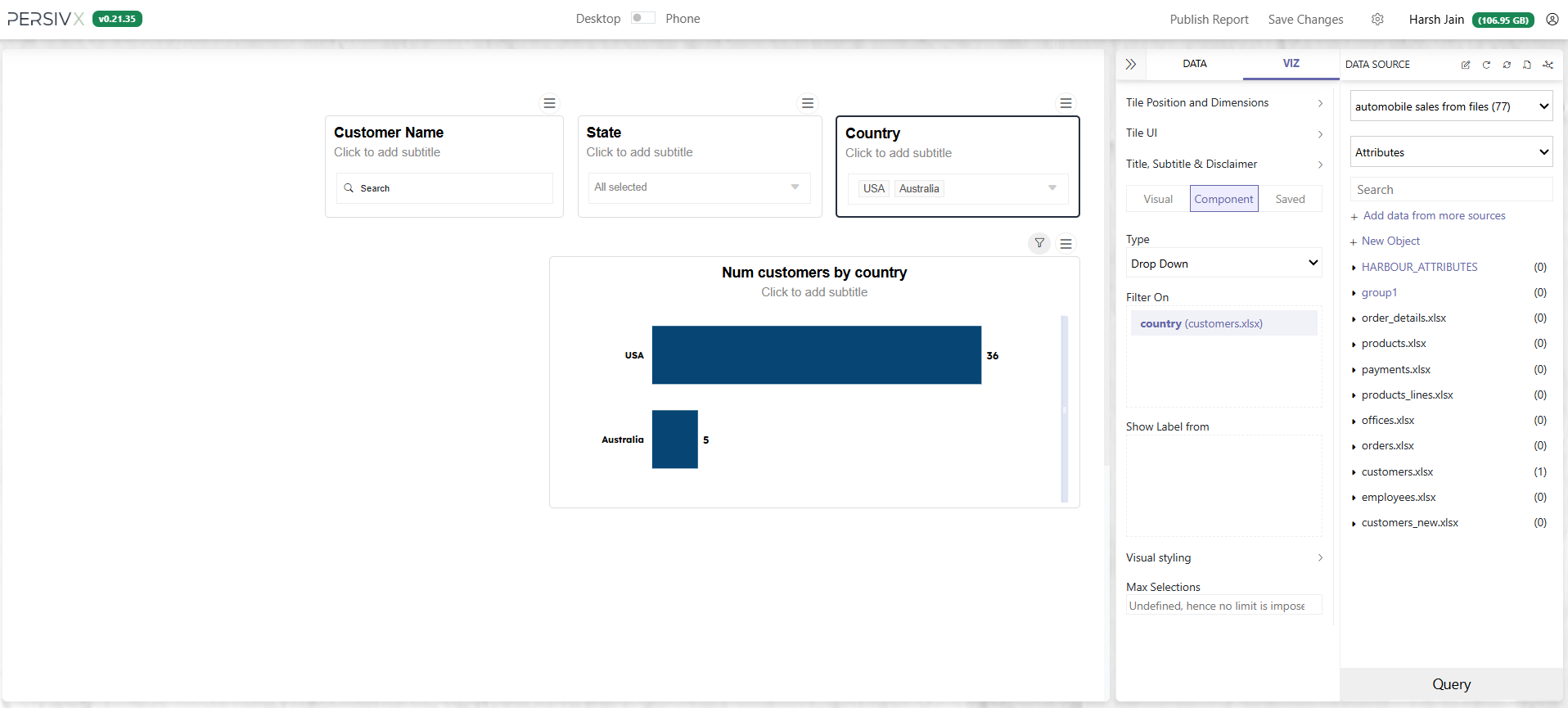
With multiple filters on a report, the query ends up with multiple hints. Say we add two more filters alongside the country dropdown — a dropdown for state and a search bar for customer name.
Add the matching hints to the query:
Before
SELECT country, COUNT(customerNumber) as numberOfCustomers
FROM [customers.xlsx]
WHERE :APPLY_FILTER:country:
GROUP BY country
ORDER BY COUNT(customerNumber) DESC
After
SELECT country, COUNT(customerNumber) as numberOfCustomers
FROM [customers.xlsx]
WHERE :APPLY_FILTER:country: AND :APPLY_FILTER:state: AND
      :APPLY_FILTER:customerName:
GROUP BY country
ORDER BY COUNT(customerNumber) DESC
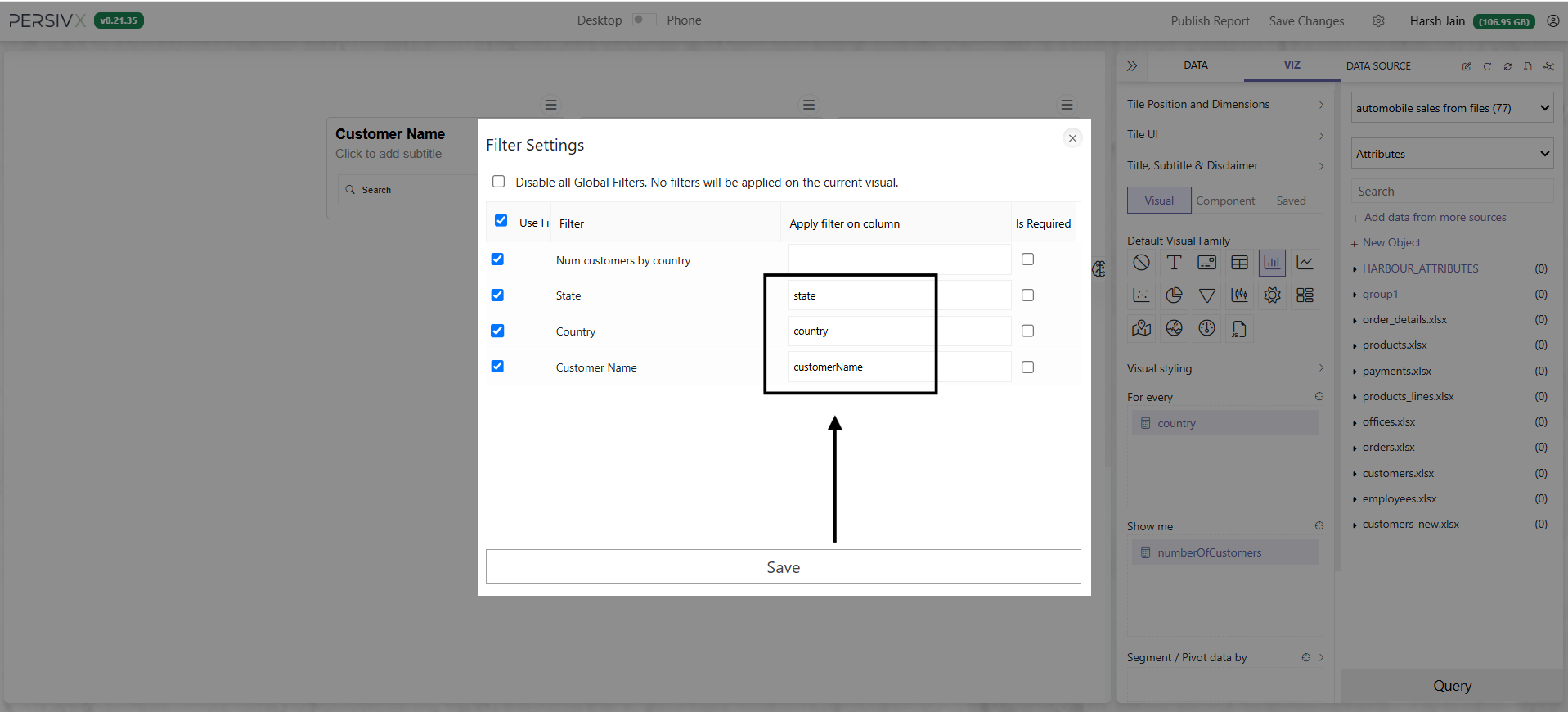
Finally, tell PersivX which hint each filter component drives:
- The country filter updates
:APPLY_FILTER:country: - The state filter updates
:APPLY_FILTER:state: - The customerName filter updates
:APPLY_FILTER:customerName:
Do this in the visual's filter settings:
- Open the filter settings
- Map the hints
- Click Save
- Update the chart with the Query button at the bottom right
Update only the fields you need and leave the rest as they are.
All Set
Whenever a reader interacts with a filter component, PersivX rewrites the query and shows only the relevant data. Any number of filter components can be added — all that is required each time is to pass a hint to the query and map the component to it.
WITH clauses) or subqueries.
Important Points to Remember
The Same Hint May Be Needed More Than Once
In a complex query, one filter may need to apply in several places — you must add the hint to every CTE and subquery involved.
For example, when showing customer details for the top 3 customers, the same hint appears in both the WITH clause and the main query, because the filter needs to update both:
WITH topCustomersIn2004 AS (
  SELECT customerNumber, SUM(orderTotal) as netTotal
  FROM orders
  WHERE year = 2004 AND :APPLY_FILTER:country:
  GROUP BY customerNumber
  ORDER BY SUM(orderTotal) DESC
  LIMIT 3
)
SELECT customerNumber, customerName, country, state, addressLine1, zipCode
FROM customers
WHERE :APPLY_FILTER:country: AND customerNumber IN (
  SELECT customerNumber
  FROM topCustomersIn2004
)
If a Filter Isn't Updating a Visual
There are only two possible causes:
- The query was not updated with the hint
- The filter component was not mapped to the correct hint in Filter Settings