
Fetching Data from an API
Periodically pull data from GET, POST, and OAuth 2.0 secured endpoints into a PersivX workspace.
The retrieved data can be pre-processed using Python before being fed into the workspace. The final data passed to PersivX must be in a 2D array format, similar to a SQL table.
There is no restriction on the size of the data, as long as the API response completes within 60 seconds and total disk usage stays within the limit allotted to your organization.
Passing Headers
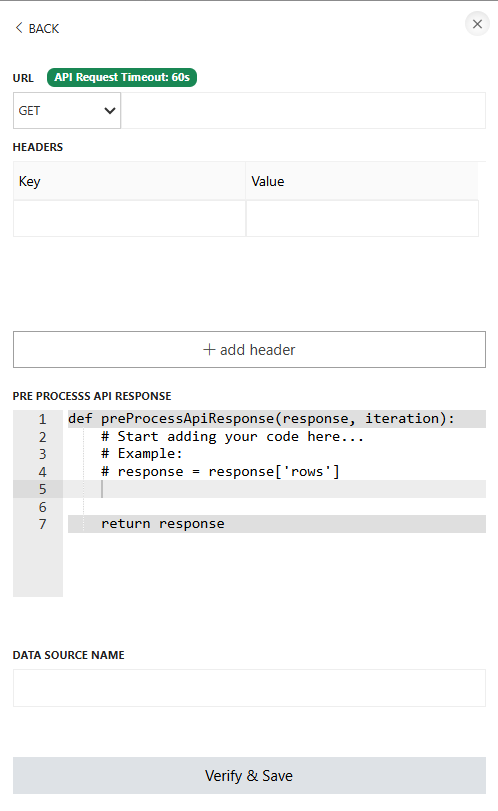
Some SaaS products require authentication before their APIs can be accessed. In those cases, authentication headers can be included in the API request. PersivX imposes no limit on the number of headers you can pass.
Steps to Connect
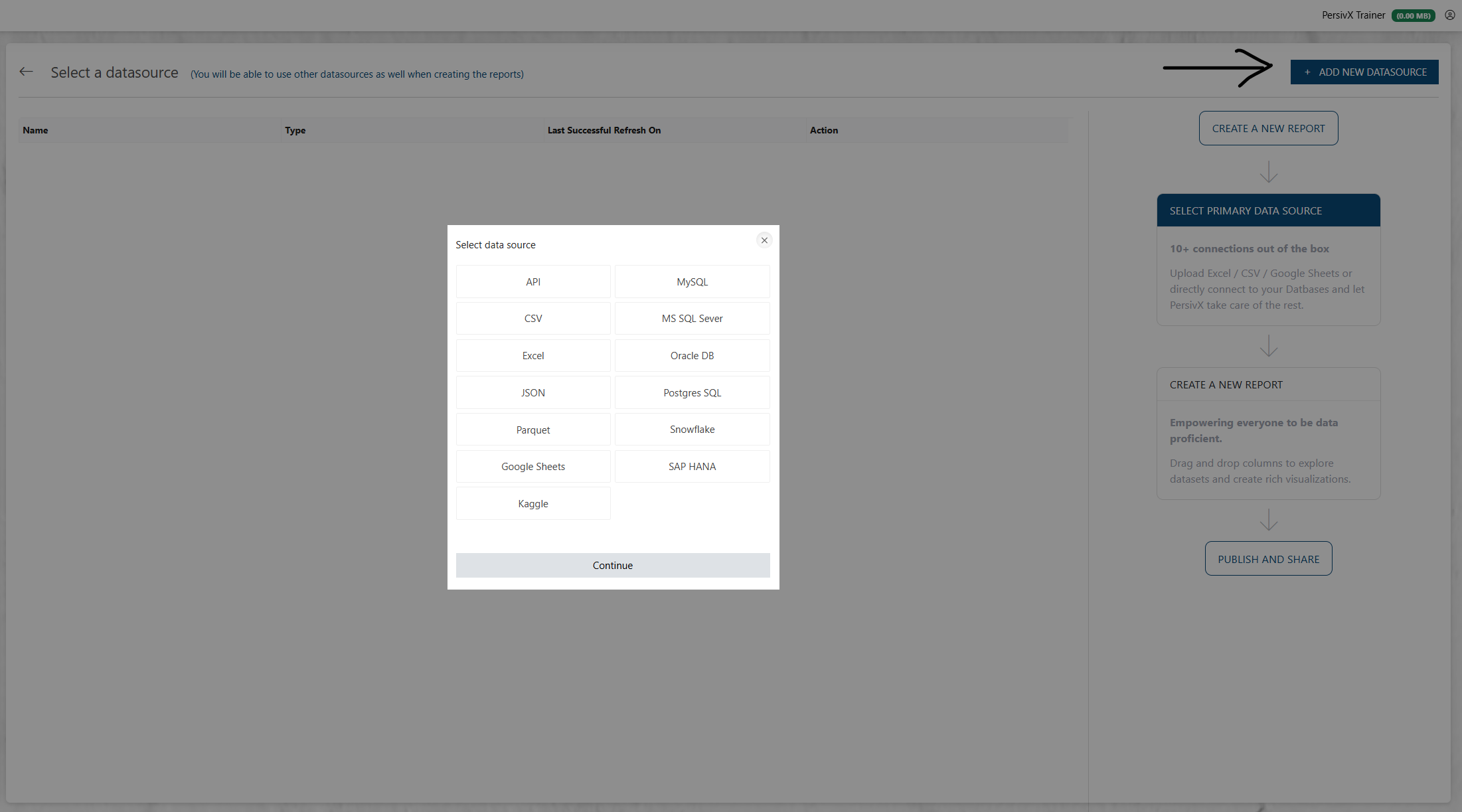
Step 1: Select API
Step 2: Add API Details
Retry and SSL Options
Two switches are available when configuring the API request:
- Retry on API failure — if the request throws an error (timeout, connection error, etc.), PersivX retries it once before giving up.
- Skip SSL certificate verification — disables TLS certificate validation for this API's requests. Off by default.
Data Refresh
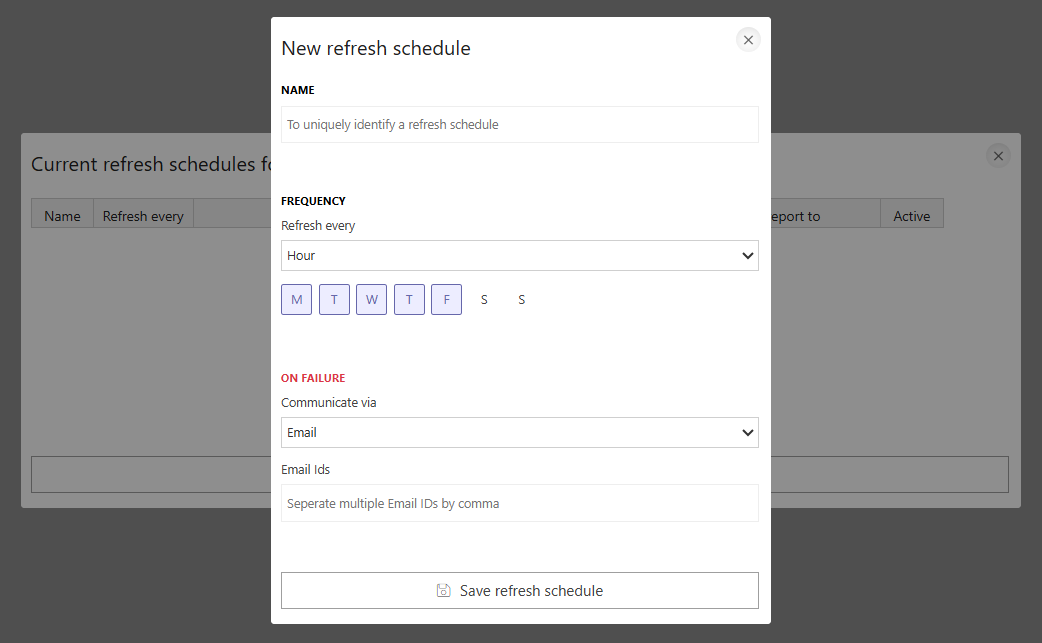
If multiple APIs are added to a PersivX workspace, each one can have its own refresh frequency. Intervals can be hourly, daily, weekly, monthly, or a custom schedule.
Schedules can also be combined — for example, refreshing every weekday (Monday to Friday) at 6 PM and adding an extra refresh at 12 PM every Monday — by creating multiple refresh schedules for the same API.
Paging and Incremental Refresh
A preprocessing script written as preProcessApiResponse(response, iteration, requestDetails) can page through a large API and, on later refreshes, fetch only new rows. requestDetails['currentPageURL'] is the URL that was just called. Instead of a plain 2D array, the function returns a dictionary:
data— the rows from this page.fetchNextPageandnextPageURL— when both are set, PersivX callsnextPageURLnext and keeps going.nextRunFirstURL— read on the last page only. PersivX saves it, and every later refresh starts from this URL and appends to the data already loaded instead of replacing it.
Once a nextRunFirstURL has been saved, scheduled refreshes and the refresh button only ever append. Rows that change or are deleted at the source after they were loaded are not picked up until the datasource is fully reloaded.
Forcing a full reload
To discard the saved position and re-fetch everything from the URL configured on the datasource, call the refresh endpoint on the PersivX server itself with fullRefresh=true:
curl -sSk "https://127.0.0.1:8000/utilities/lineage/?id=<datasourceId>&fullRefresh=true"The id can be the API datasource or a workspace that contains it; a workspace passes the full reload on to its auto-refreshed API datasources. When the reload finishes, a new nextRunFirstURL is saved and later refreshes go back to appending. The data already loaded stays available until the new copy replaces it.
fullRefresh is refused (HTTP 403) unless the request comes from 127.0.0.1 or ::1. The request runs until the whole dataset has been fetched, so a very large reload can exceed the server's request timeout.