
Adding Drilldown in Query-Based Visuals
Let readers click a data point and see the detail underneath it.
Drilldown lets a reader click a data point — a bar in a chart, say — and see more detailed data underneath it, moving from a high-level summary to granular insight.
Building on the example from Filter Components with Query-Based Visuals, here is what a drilldown looks like:
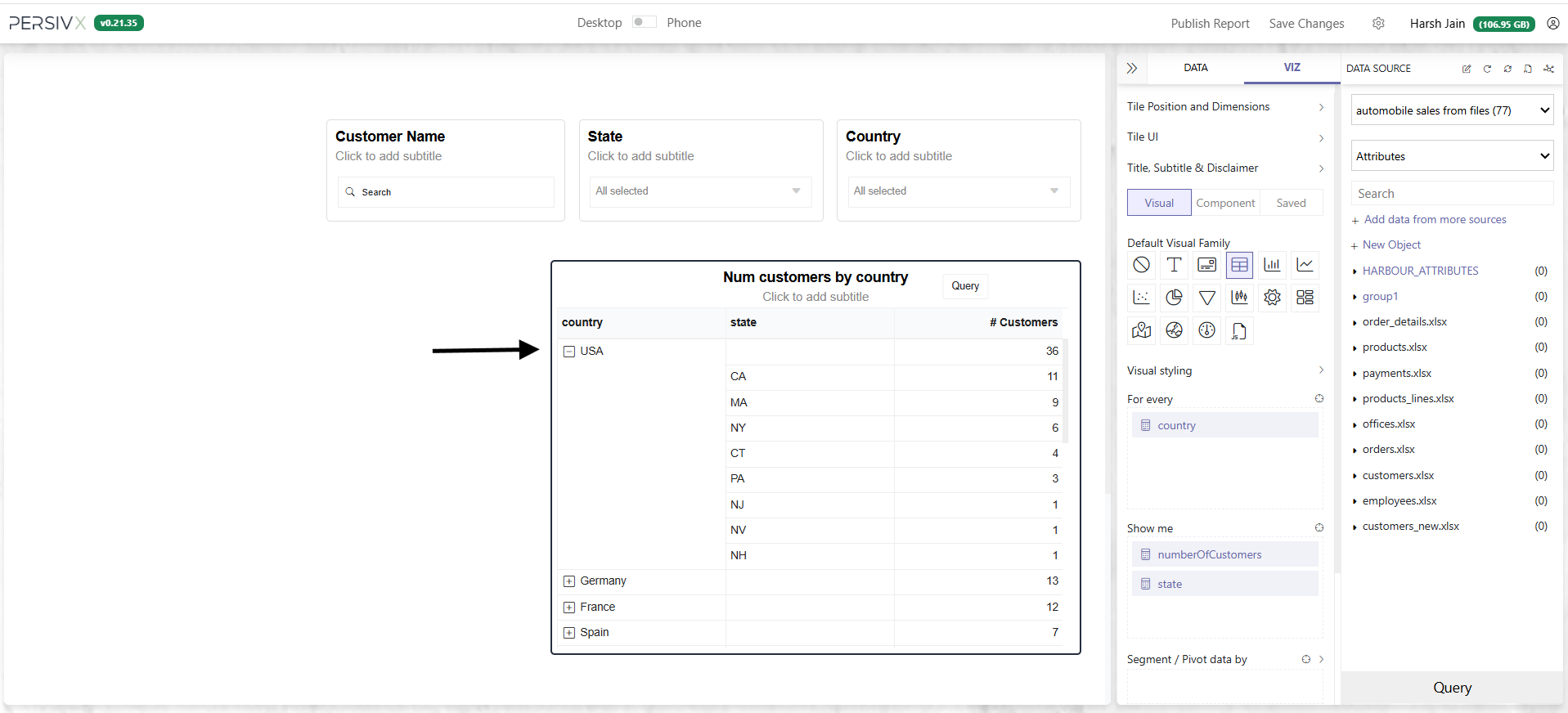
Setting this up takes four steps:
- Add the query that fetches the drilldown data
- Update that query to accept filters (hints), so it fetches only the relevant detail
- Save and refresh the visual
- Finish up
Step 1: Add a Drilldown Query
- Open the query panel for the visual
- Click + drill-down to add the query that fetches the drilldown data
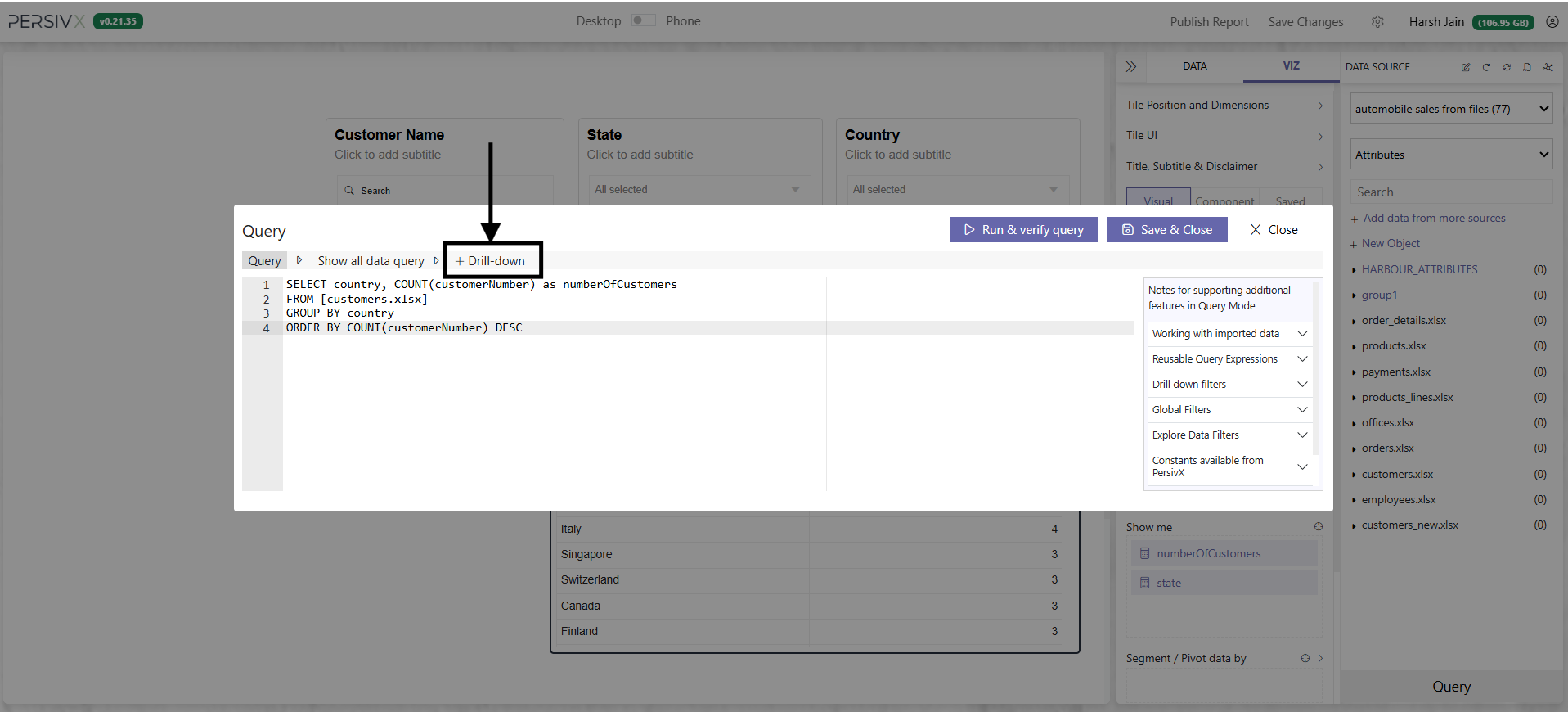
Write the query that fetches state-wise data at Drill Down Level 1.
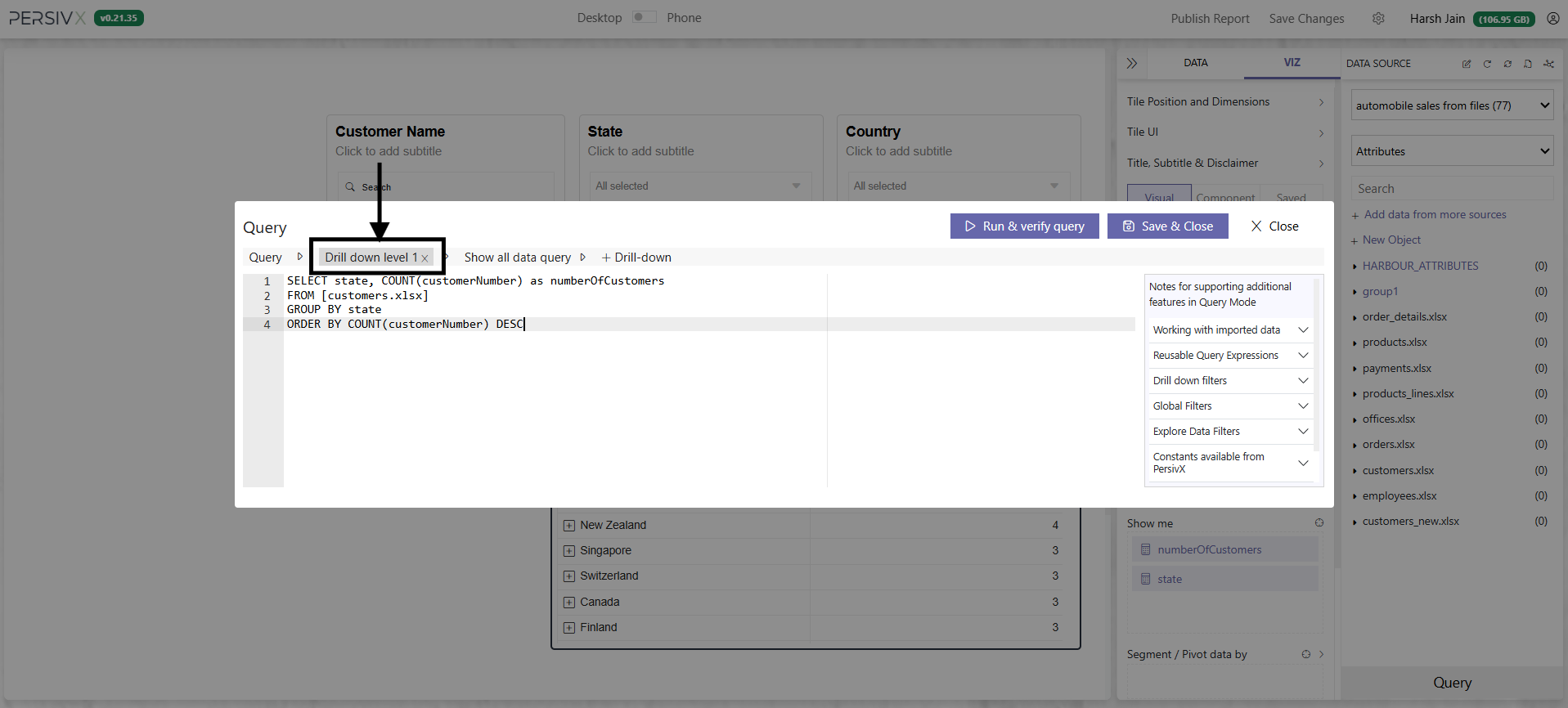
Step 2: Make the Drilldown Query Accept Filters
If the reader clicks "USA", the WHERE clause needs country='USA'. Click "Canada", and it needs country='Canada'.
You pass a hint so PersivX can rewrite the query. The drilldown hint is written as :_harbour_drill_:<COLUMN>:undefined:.
:_harbour_drill_: and the trailing :undefined: are both required for drilldown to work.
Before
SELECT state, COUNT(customerNumber) as numberOfCustomers
FROM [customers.xlsx]

GROUP BY state
ORDER BY COUNT(customerNumber) DESC
After
SELECT state, COUNT(customerNumber) as numberOfCustomers
FROM [customers.xlsx]
WHERE country=:_harbour_drill_:country:undefined:
GROUP BY state
ORDER BY COUNT(customerNumber) DESC
Finally, add every column used for drilldown to the SELECT clause as well. This lets PersivX place the new rows correctly in the current visual. Here we drill down on country, so it goes into both SELECT and GROUP BY.
Before
SELECT state, COUNT(customerNumber) as numberOfCustomers
FROM [customers.xlsx]
WHERE country=:_harbour_drill_:country:undefined:
GROUP BY state
ORDER BY COUNT(customerNumber) DESC
After
SELECT country, state, COUNT(customerNumber) as numberOfCustomers
FROM [customers.xlsx]
WHERE country=:_harbour_drill_:country:undefined:
GROUP BY country, state
ORDER BY COUNT(customerNumber) DESC
Step 3: Save and Refresh
Readers can now interact with the visual to see state-wise detail.
Step 4: Finishing Up
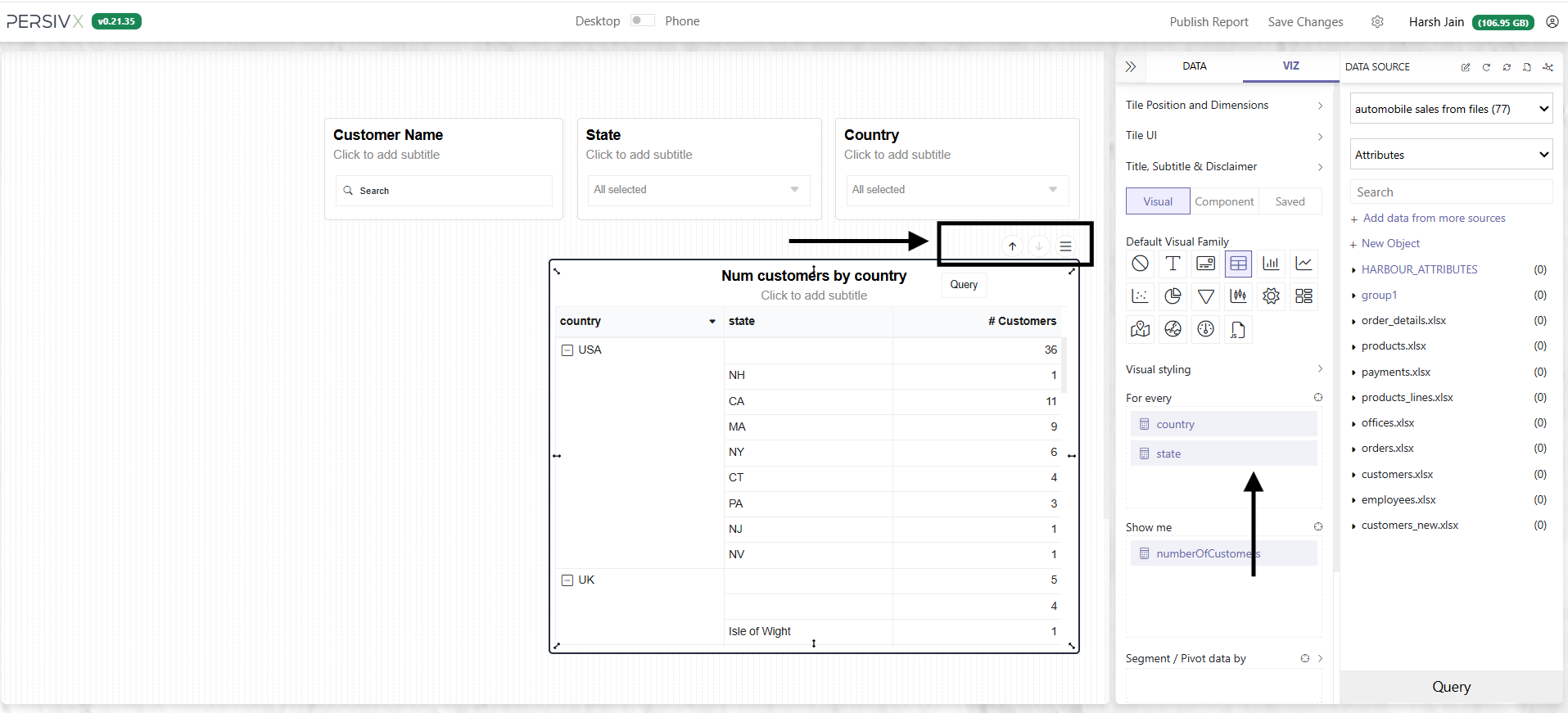
Move the state attribute from "Show me" to "For every" to frame the story: for every country, then every state, show me the number of users.
Readers can now drill down into all countries at once.
Important Points to Remember
If drilldown doesn't behave as expected, check that:
- A drilldown query has been added
- Drilldown hints have been passed in the
WHEREclause - Columns used in the drilldown are also in the
SELECTclause — most databases will require them inGROUP BYtoo for the query to be valid
In a table, the + button appears on the first cell of a row that shows a value. Rows returned by your last drilldown query have no +, because there is no further level to open. Each drilldown query adds exactly one level, however many attributes are listed under "For every".